AI, Flexibility and Performance – What’s new in PLANTA Project
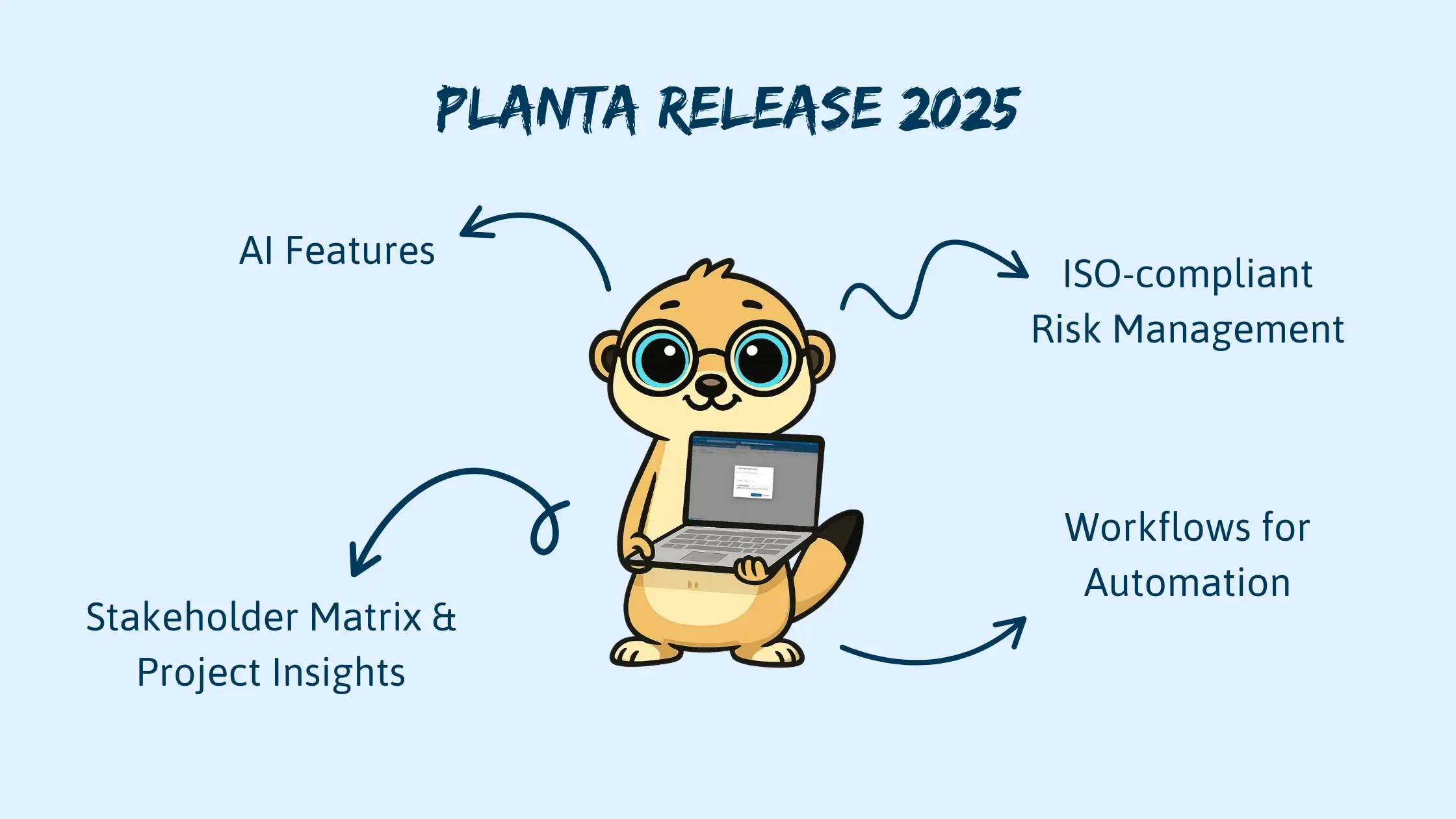
PLANTA continuously develops its software – striving to support teams even more efficiently, simplifying processes, and maximizing adaptability. The latest release includes exciting new features for both agile and traditional project management. These new features include new AI-powered functionalities (option to use your own OpenAI key), extended customization options for boards and dashboards, as well as powerful tools for planning, reporting, and risk management.
What’s new in Agile Project Management
More Flexibility for Custom Fields
The management of custom fields is now significantly more flexible: Administrators can create these fields centrally in the Administration Panel and make them available system-wide. In addition, custom fields can be configured at project level – ensuring greater consistency across sub-boards.
Boards and individual cards also benefit from these changes: Project managers can now add project-specific fields to personalize boards and structure information precisely.
Two new fields have been added:
- “Posting Object from PLANTA Project” – for linking to tasks and direct posting of hours worked
- “User Selection“ – ideal for assigning persons responsible; multiple selection is possible
Time tracking has also been enhanced: Remaining effort is now displayed directly so teams can better monitor their tasks.
Tip: Board filtering now also includes text fields and the display text of links – for even more accurate searching.
New Design, Usability and Attachments
The card view has been modernized – clearer, more structured, and visually customizable. Start and end dates can now be color-coded to highlight important deadlines.
Board templates are now directly available when creating a board – saving time and encouraging standardization.
Cards can now embed web content via link – keeping everything connected and up to date.
Enhanced Efficiency Through AI, Automations, and Workflows
The new release comes with a major AI boost, making daily project work significantly more efficient and user-friendly. AI features now come into play where teams previously had to spend time on manual tasks – allowing them to keep their focus on actual project goals.
Intelligent Checklists at the Click of a Button
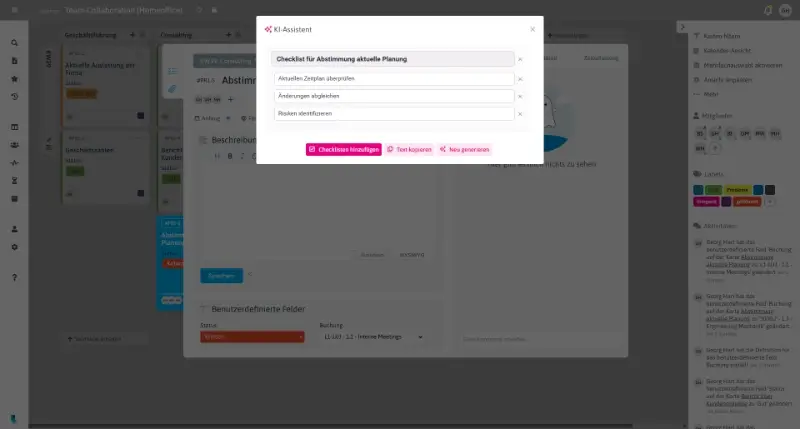
Tasks often begin with just a title or a short description. Thanks to the new AI-powered checklist generation, you can now automatically create meaningful subtasks. AI analyzes the card content and transforms it into structured, logically ordered steps. This saves time – especially in recurring processes – and provides clarity for everyone involved.
Improve, Extend, or Rewrite Texts Automatically
Want to expand a description or render a short text more comprehensible? The integrated AI helps you formulate your content more clearly, concisely, and professionally – directly within the card. With only one click, you’ll get a revised suggestion based on the original content, but more polished and easier to read.

Automate Workflows and Use Them Company-Wide
With workflows, you can define rules and automations to map your processes on a board. These are now available to all users – with new features such as:
- Swimlanes
- “Reopened” list
- Compatibility with hybrid projects and synchronized boards
This allows you to automate recurring processes and save valuable time.
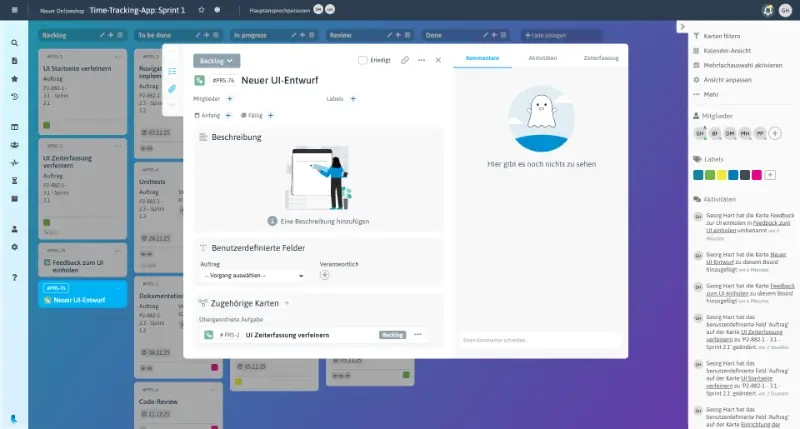
Cards can now also be linked to one another to render task hierarchies and dependencies transparent.

Additional Improvements in Agile Project Management
- Synchronized users marked as “Left” are now automatically deactivated in the agile component as well.
- Cards that are currently being edited are now highlighted more clearly in the Time Recording panel – for greater transparency.
- Reminders can be set for start and end dates – so deadlines won’t be missed.
- Working hours can now be entered directly below the scale in the Time Recording panel.
(Settings: User Settings → Time Recording Settings → Entry below scale) - Projects can be archived to cleanly remove completed or inactive initiatives from daily operations.
- Start and end dates can now be defined for each project – helpful for scheduling and controlling timelines.
- Boards can now be created within projects only – for more structure and clearer project assignment.
- Notifications for cards or boards can now be muted if desired.
- The agile component can be visually customized to match your corporate design – including colors, logos, and visual elements.
- Improved in-app notifications inform users about updates and product news directly in the application.
- In the calendar view of boards, both labels and card colors are now displayed. Cards can be moved via drag & drop, adjusting start and end dates instantly.
- In the Admin Panel, board members can now also be managed and configured – including authorization control.
- The dashboard’s filter widget now offers extended filtering options. Columns can be configured individually, and the view can be grouped by projects.
- Security is continuously maintained at the highest standard.
What’s New in Traditional Project Management
Web-Client in Focus – Now as a Progressive Web App (PWA)
The rollout of the web client is completed – and it comes with numerous new features:
- Download as a PWA (Progressive Web App) for app-like usage, improved performance, and push notifications
- All roles are now available in the web client
- Excel export is now supported
- Interface to MS365 for direct links to documents in SharePoint
- Icons can now be added to fields – for example, to better indicate urgency
- Improved loading times and performance
Updates in the Native Client
The native client has also been improved:
- Bug fixes and performance enhancements
- Auto PDF export integrated
- Support for larger attachments in PDF format
AI, Reports, and Smart Planning in Traditional Project Management
Smart Planning with AI
Thanks to artificial intelligence, schedules can now be generated automatically – fast, data-driven, and tailored to your specific project parameters. The AI analyzes stored information such as project duration, dependencies, milestones, and resource availability and uses it to create realistic timelines as a basis for operational planning.
Your Personal AI Assistant – Support in the Help Center
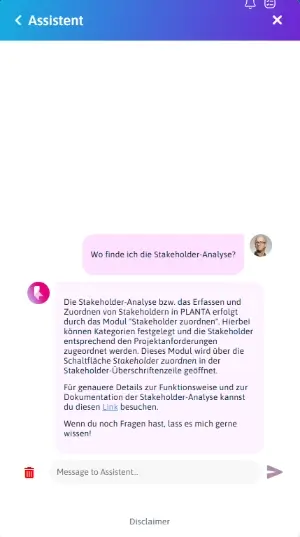
In addition to the bundled, context-based help, a new AI assistant is now available in the Help Center. It answers your questions about features, modules, and settings – directly, clearly, and contextually.
Whether you want to know how to set up a workflow, assign resources more efficiently, or find a specific setting – the AI assistant provides quick answers, suggests solutions, and can direct you swiftly to the relevant section in the software.


Stakeholder Matrix & Project Insights: More Transparency and Learning
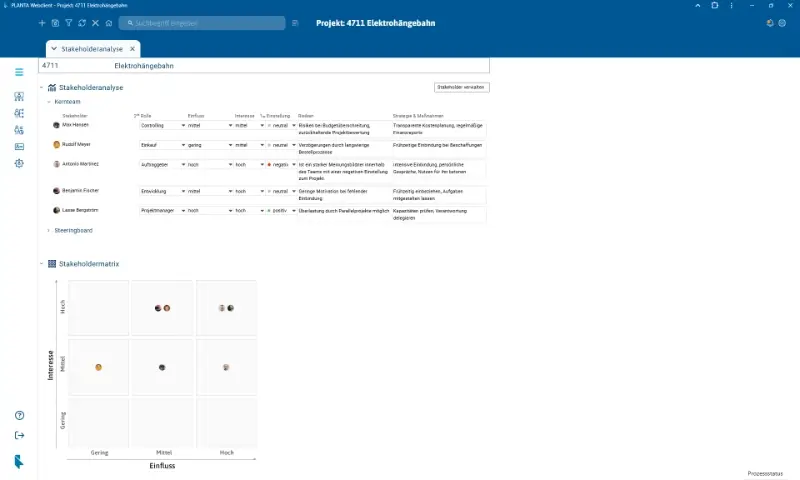
The new Stakeholder Matrix allows you to assess project stakeholders directly in the system. Results are displayed visually – enabling a clear communication strategy.
Use the new Project Insights feature to continuously document lessons learned, measures, and decisions. It can be used to generate a cross-project report, offering valuable insights for future projects.

ISO-Compliant Risk Management & Smart Linking
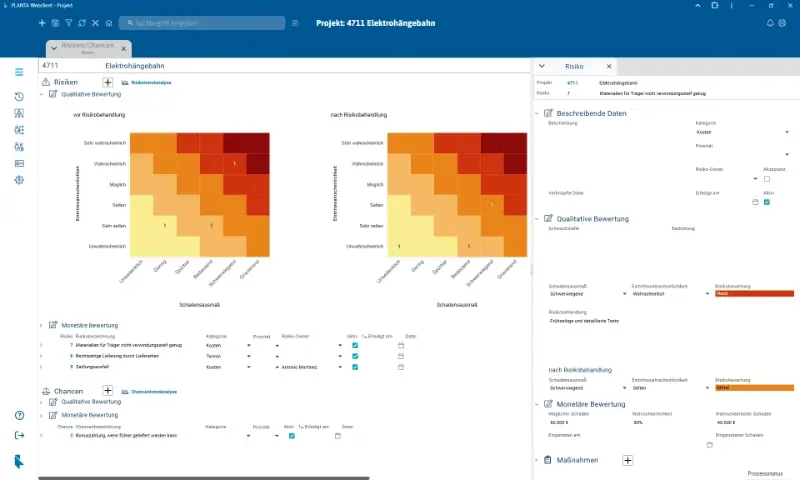
PLANTA Project now offers extended risk management based on ISO 27001: Risks can be recorded, evaluated, and tracked in detail both before and after mitigation.
Another highlight: Direct links to relevant project sections – e.g., from the dashboard, project core data, or status report. Even time tracking can now be accessed via direct links. This saves time and reduces the need to search.
Last but not least: PLANTA Project is now a container-based application – allowing for modern IT architecture and easier scalability. Learn more in Managing Software in Containers or in our online help.
Additional Improvements
- Time recording periods can now be defined with greater precision to better align with project- or company-specific requirements.
- A custom selection of load profiles is now available – ideal for modeling resource utilization and project progress.
- The portfolio simulation now supports subprojects, allowing for more realistic scenario planning and better analysis of complex project structures.
- On a resource’s business card, a tooltip now shows the date the resource leaves or has left the organization. From this point on, the resource can no longer be scheduled for new projects.
Conclusion: More Efficient, Smarter, Better Connected
With this release, PLANTA sets new standards for modern project management – hybrid, adaptable, AI-powered. Whether in agile or traditional projects: The new features offer more clarity, less effort, and better collaboration.