PLANTA project 27 – Overview of New Features
Plan traditionally and agilely. New design. Everything important at a glance.
PLANTA project 27 brings more than a new design. The interface has been redesigned from the ground up, access rights and navigation are separated from one another, and agile planning is now an integral part of PLANTA project.
In day-to-day work, this means: less searching, shorter paths and hybrid planning without switching tools.
1. New Navigation, Clearly Separated Access Rights
Navigation now takes you to your destination in two stages: topics that belong together are grouped together. What you can see and edit within them depends on your role in the company. Because rights and the navigation structure are now independent of one another, each area appears exactly once in the menu, even if you have been assigned multiple roles.
Administrative functions are grouped under “Settings” and are no longer distributed across the main navigation.
2. New Design – Bundled Functions
The redesign has created new work areas, while others have been revised or combined. The range of functions remains the same, but the paths to them are shorter: what belongs together in terms of content can now be handled in one place.
3. Hybrid Planning – Now Integrated
The biggest functional innovation concerns agile planning: Agile tasks are now linked directly to the activities in your project schedule, and the schedule shows you at a glance how many of them have already been completed. One click is all it takes to switch to the agile view. You determine whether a project is hybrid or traditional when creating the project, or you can change this at any time later in the project profile.
You manage all agile views of a project in one central location, while your own tasks can be found under My Work.
For you, this means: one login, one project status, no need to synchronize between two tools.
4. The Day Starts with an Overview
After logging in, the start dashboard shows you the current status, such as active projects by project manager, with the option to switch between number, costs, and effort.
Alongside this, you will find your personal overviews – tasks sorted by due date and your most recently edited projects for quick access. You can immediately see where action is needed.
The dashboard consists of individual widgets that can be configured to suit each role.
5. Faster Access to Everything Important
One click on the home icon takes you back to the start dashboard from any area. The menu items are also just one click away: they open behind the PLANTA logo in the header.
You can now create a new initiative, project, or portfolio in one central location using the plus button. There, you will see exactly what you are authorized to create. In addition, the main menu gives you direct access to your favorites and your own objects.
6. Optimized Usability
Status information now remains visible as you switch between views within a project, it is linked to the project, not to an individual view. An options menu also bundles the actions that affect the entire project. Tabs at the bottom let you switch between multiple open projects.
Within a view, the action bar provides guidance: central actions such as Save or Calculate Schedule are on the left, while the view selection and filter options are on the right. In addition to the standard views, you can create your own, mark the most important ones as favorites, and remove those you no longer need. Only actions that are currently available are displayed: “Delete Selected,” for example, only appears when something has actually been selected.
In table views, simply hover over a row to display the buttons for additional actions and for adding a new entry.
7. Resources and Capacities
You can now enter vacation and absences in the calendar for entire periods at once instead of day by day. And if you are responsible for a department, your work is now grouped together more closely: effort distribution, your team’s absences, and time recording for others can all be found where you already work, instead of in several different places.
For you, this means: more time for planning instead of maintenance.
Conclusion
Version 27 is the most comprehensive release in recent years: a new design, clear navigation, an optimized rights concept that stays in the background, and a flexible start dashboard that makes it easier to start the working day.
But the key innovation is the agile integration: traditional and agile planning, one project, one tool, and software you enjoy working with.
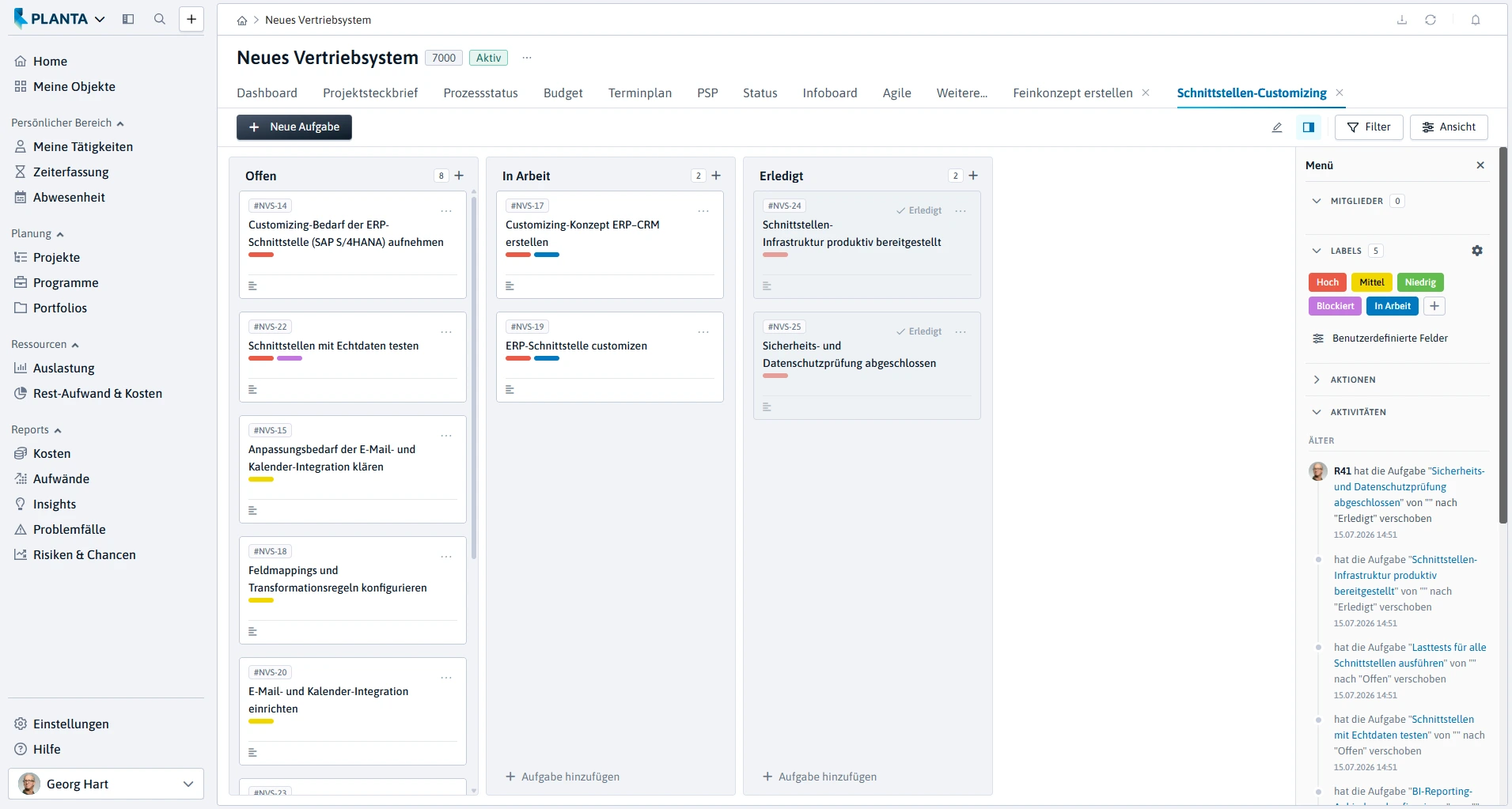
Agile task management in PLANTA Project with Kanban board
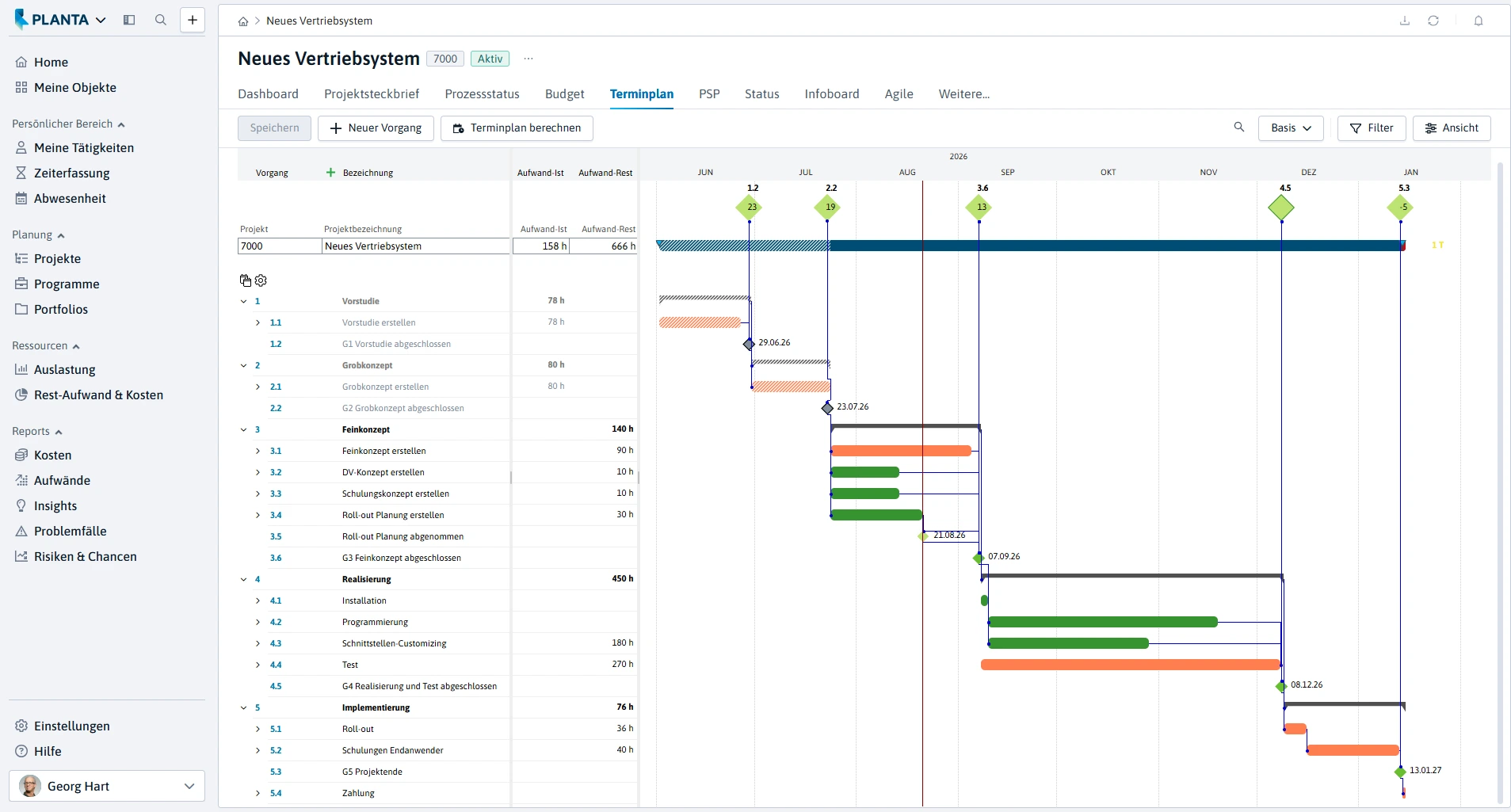
Schedule in PLANTA Project with project structure and time planning in the Gantt chart
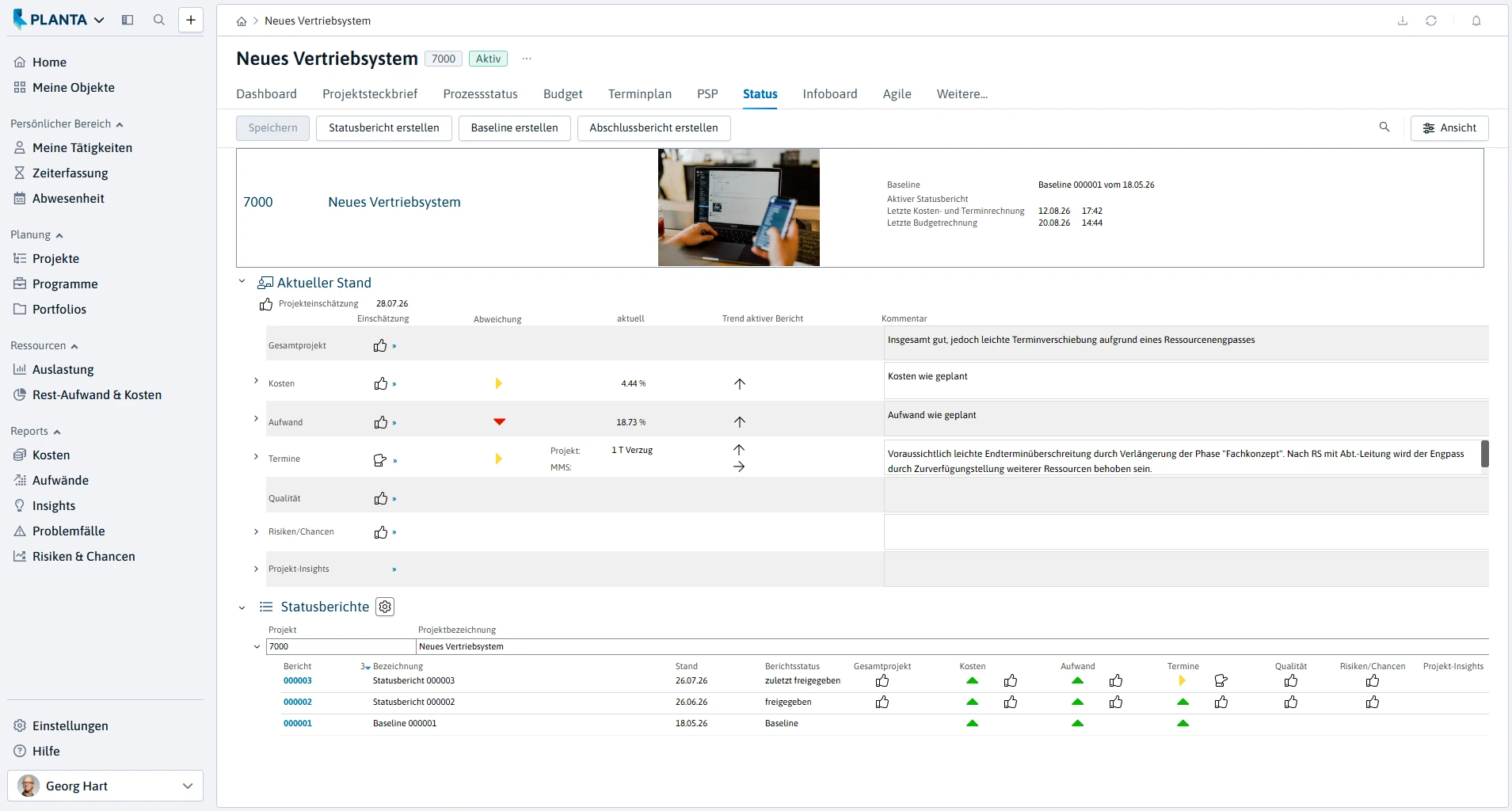
Project status in PLANTA Project with current project assessment and status reports

Risks and opportunities in PLANTA Project with risk matrix
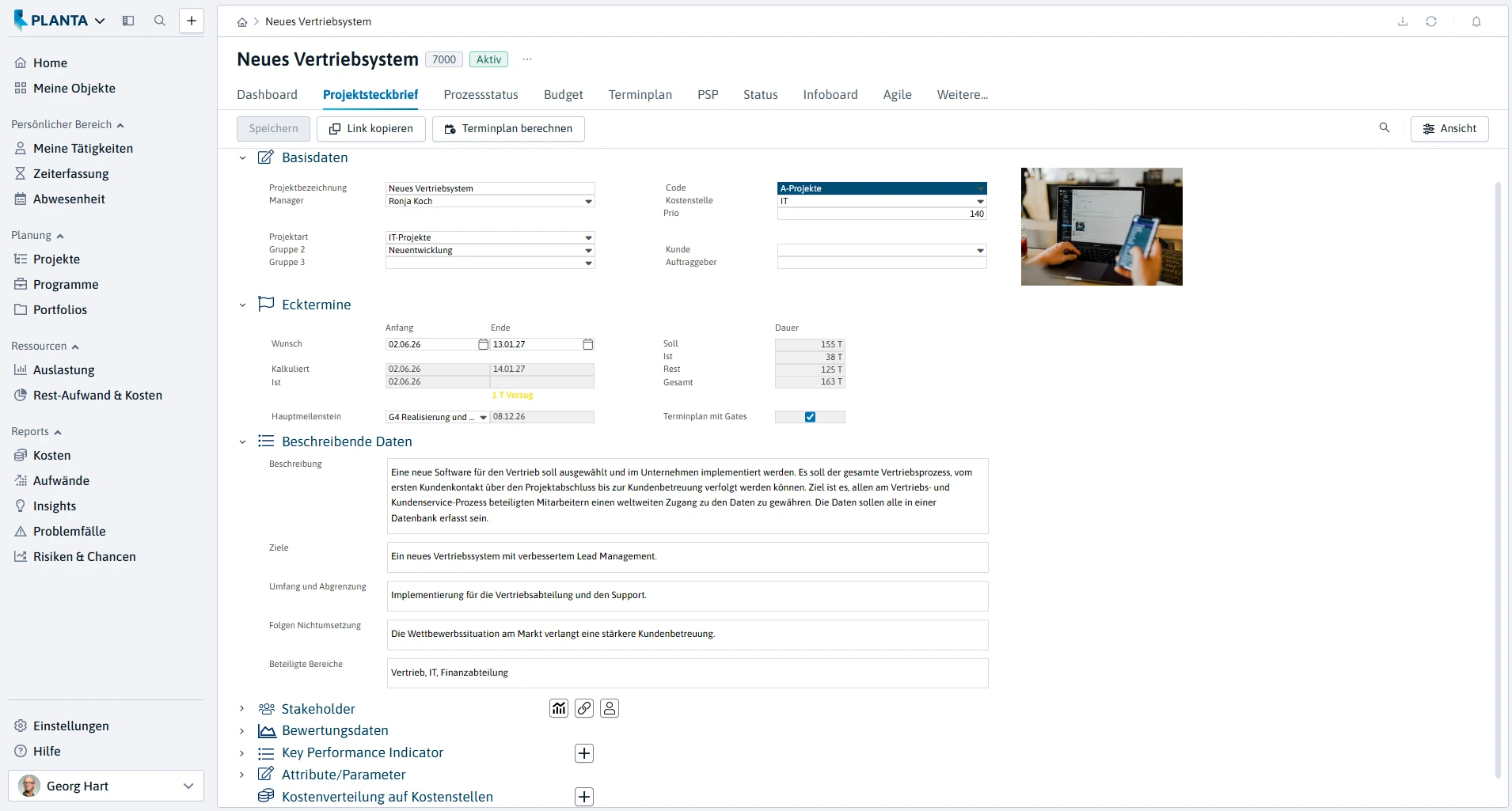
Project profile in PLANTA Project with key data, dates and project information
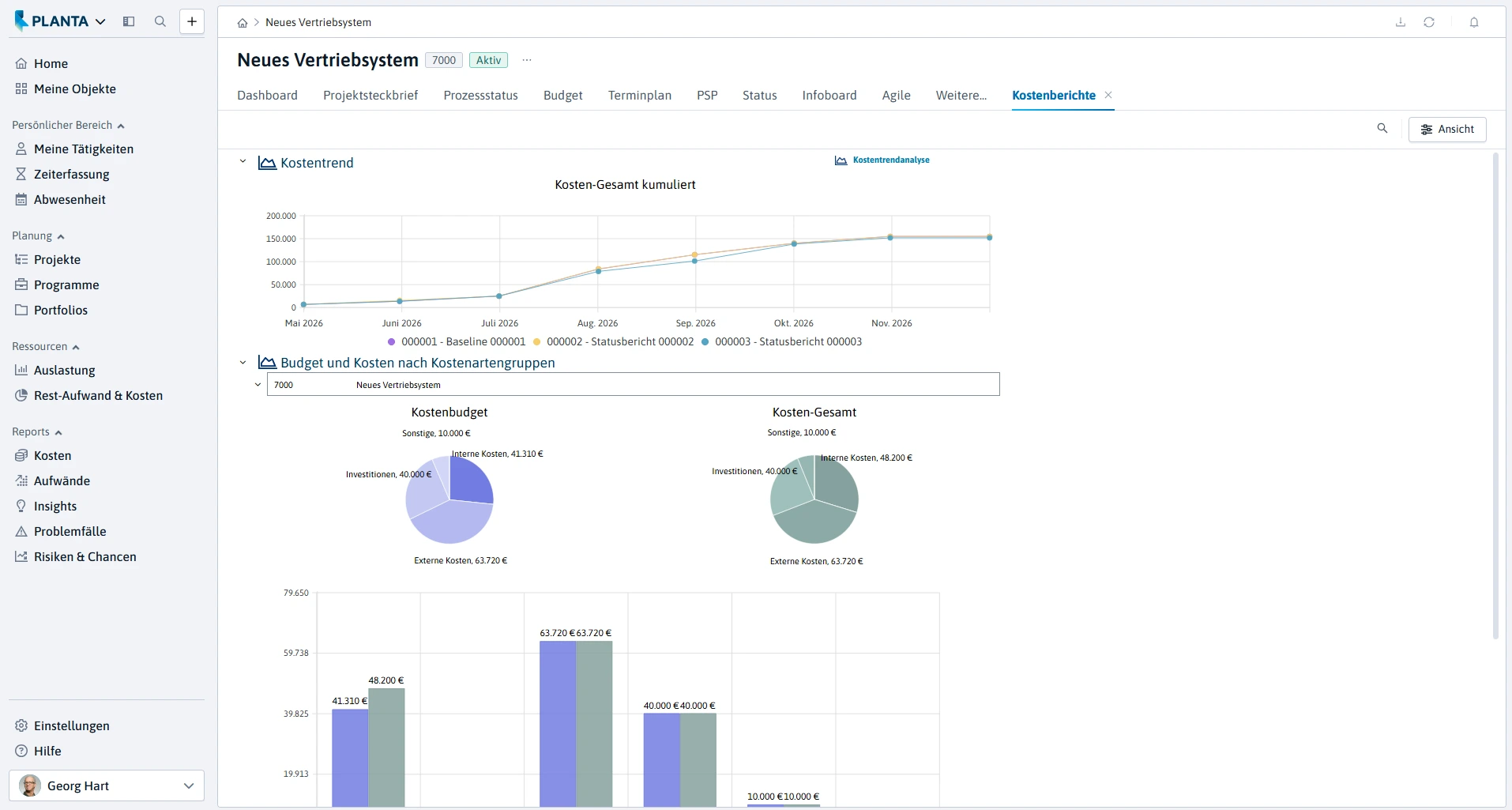
Cost reports in PLANTA Project with cost trend as well as budget and cost overview

Home dashboard in PLANTA Project with analyses by project manager, code and priority
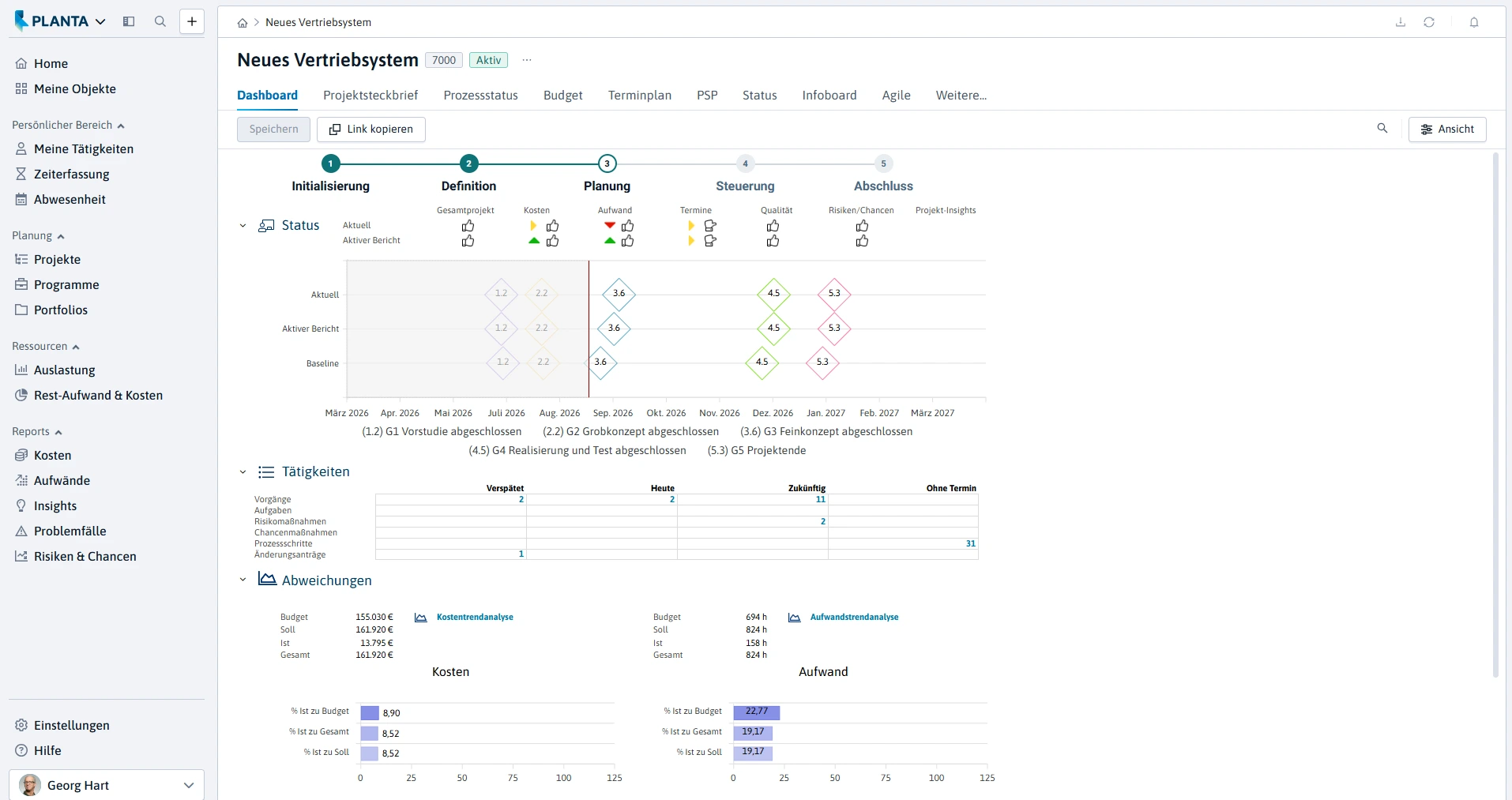
Project dashboard in PLANTA Project with project status, milestones, activities and deviations

Budget overview in PLANTA Project with cost and effort planning
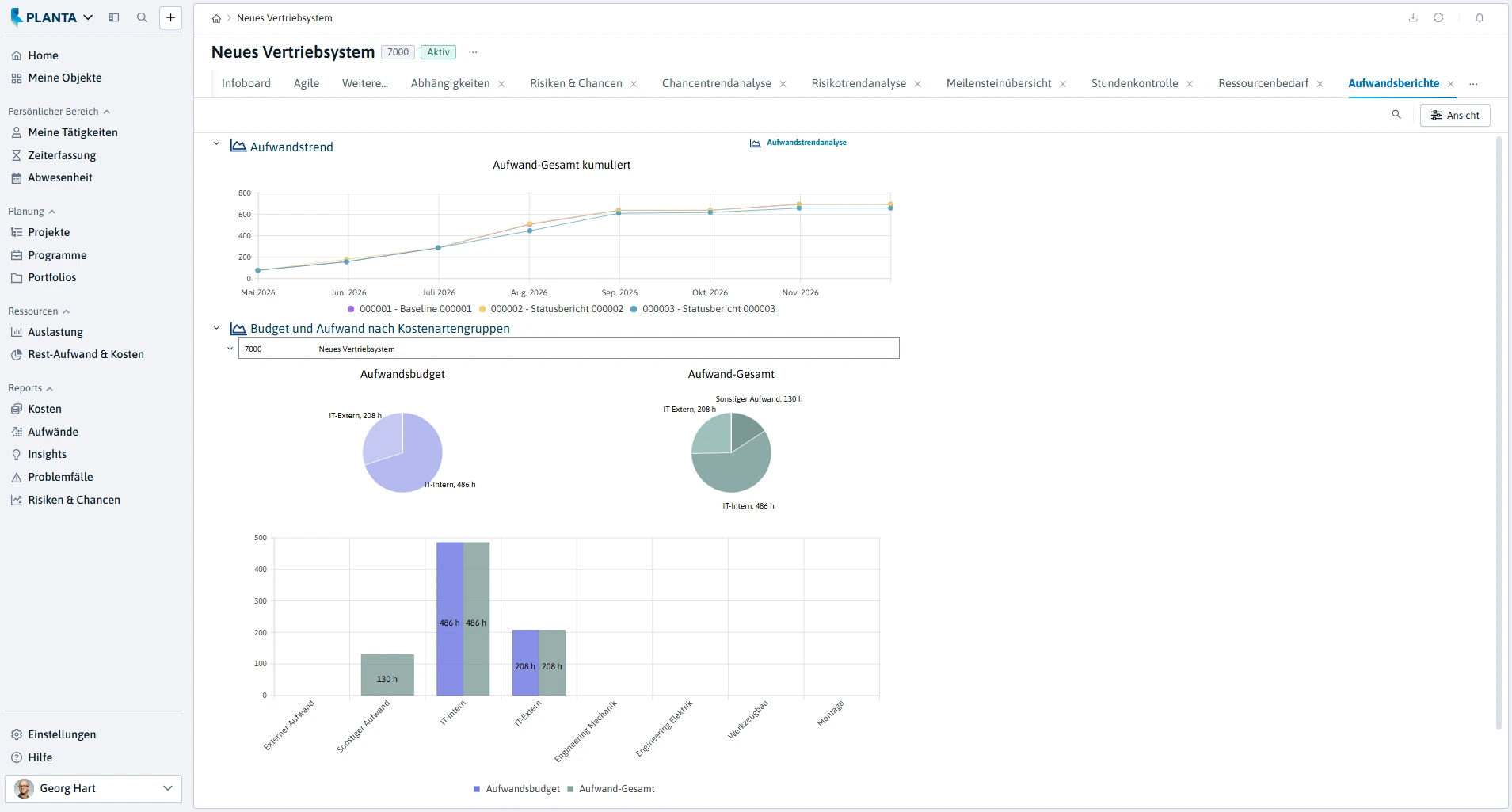
Effort reports in PLANTA Project with analyses by cost type groups