


When Spreadsheets Reach Their Limits
As soon as several projects compete for the same specialists, a spreadsheet is no longer enough. Capacity planning software creates the transparency you need for reliable resource planning and realistic project commitments.
- Overloads only become apparent when the deadline is already at risk.
- Free capacities remain unused because they are not transparently visible.
- Competing projects draw on the same specialists without central resource control.
Capacity Planning in Detail with PLANTA Project
From real-time utilization to planned vs. actual controlling: all the building blocks you need to plan capacities reliably and avoid bottlenecks.
Utilization
See Utilization in Real Time
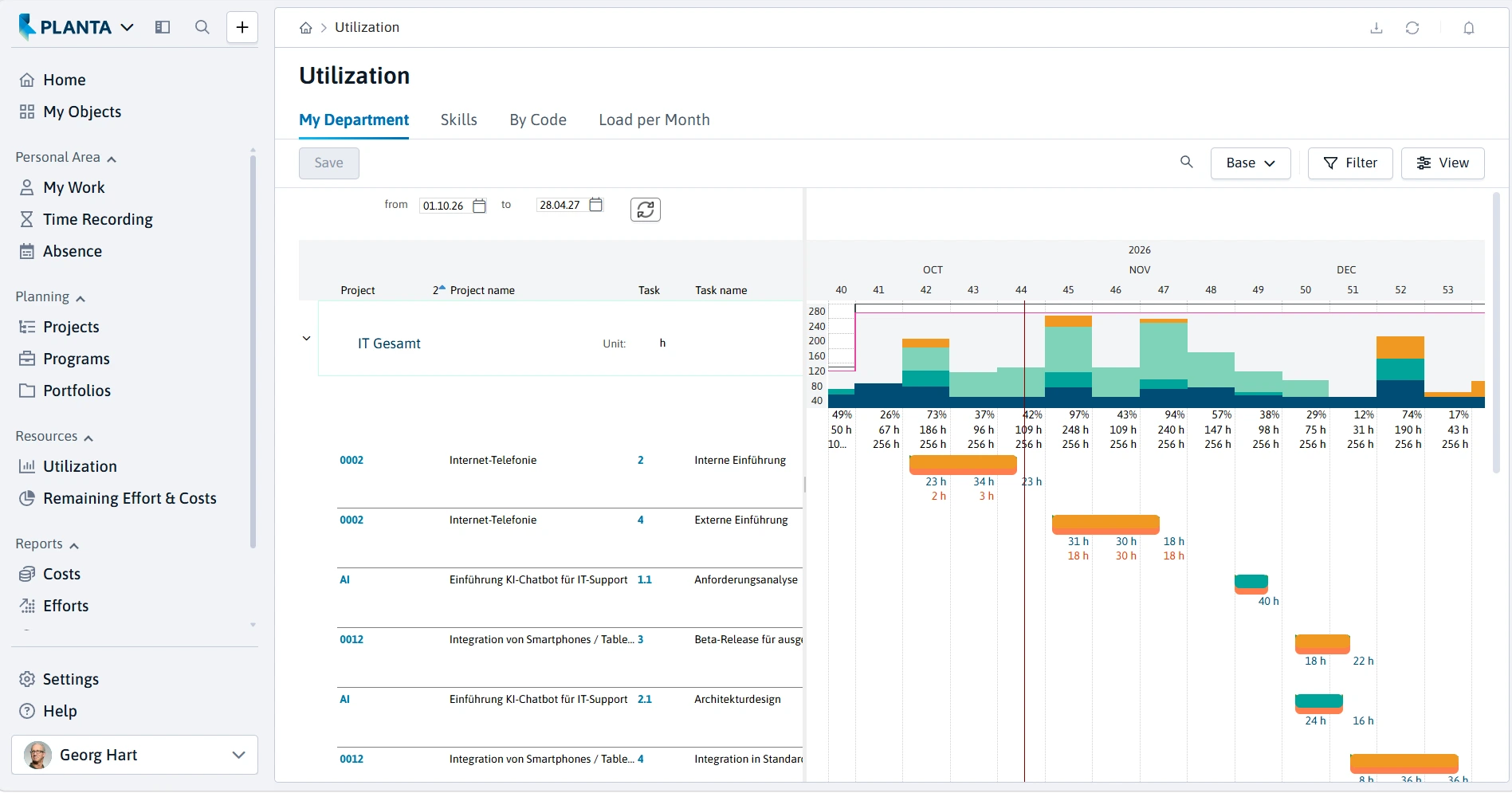
The interactive resource dashboard shows at a glance for every person and every team who is available, fully utilized, or overloaded. PLANTA Project automatically flags overloads so that you can take countermeasures immediately:
Utilization chart per resource and period
Overload and idle time identifiable by color
Automatic flagging of overloads
Realistic net capacity by taking base loads and absences into account
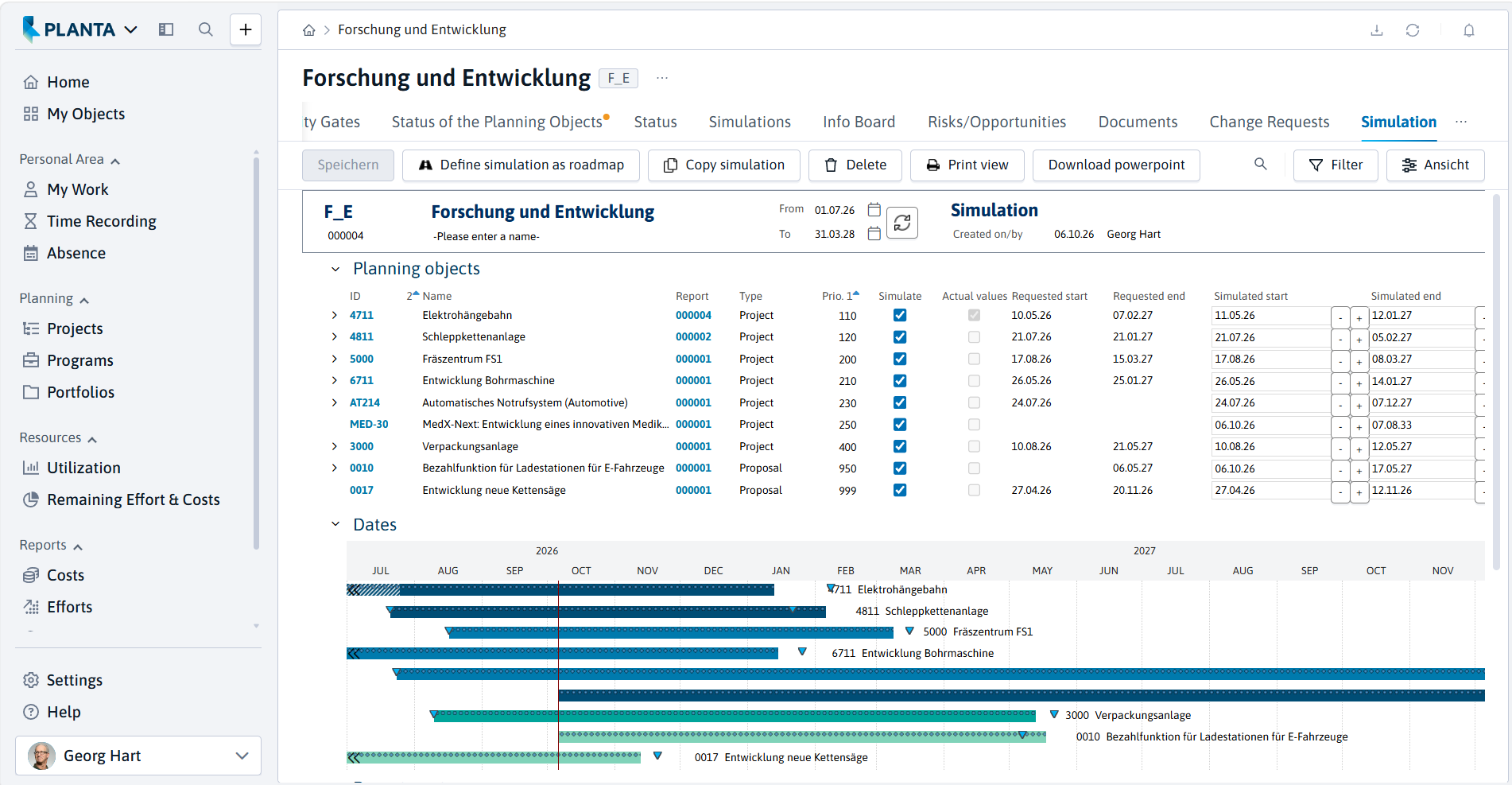
Forecast
Identify Bottlenecks Early and Simulate Scenarios
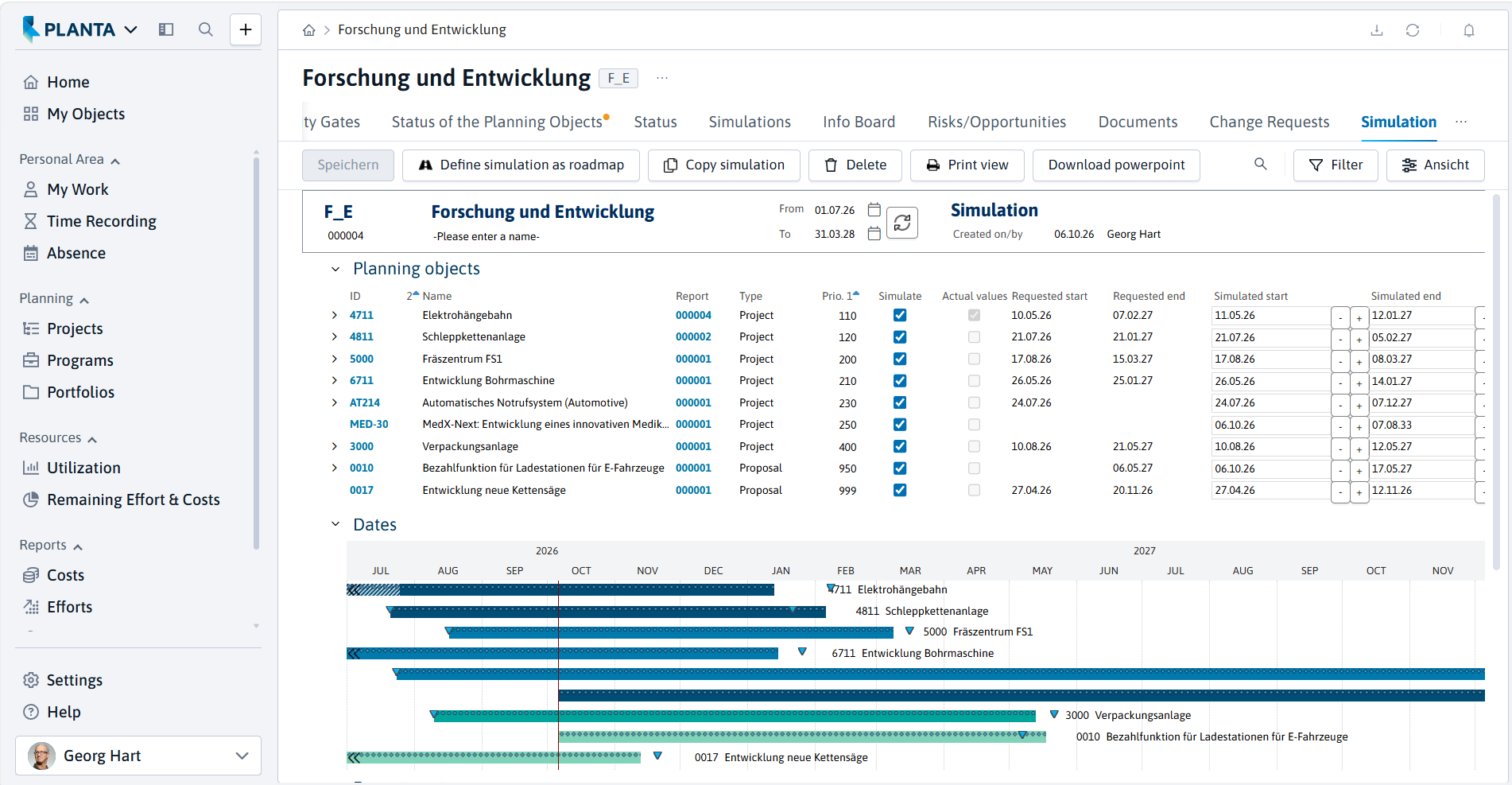
Instead of reacting to bottlenecks, you identify them in advance. With what-if analysis, you play through different planning scenarios and make well-founded planning decisions before you commit:
Proactive resource forecasting for the early detection of bottlenecks
What-if simulation of different scenarios
Rescheduling via drag-and-drop
Resource, schedule, and cost planning seamlessly linked
Skills & Availability
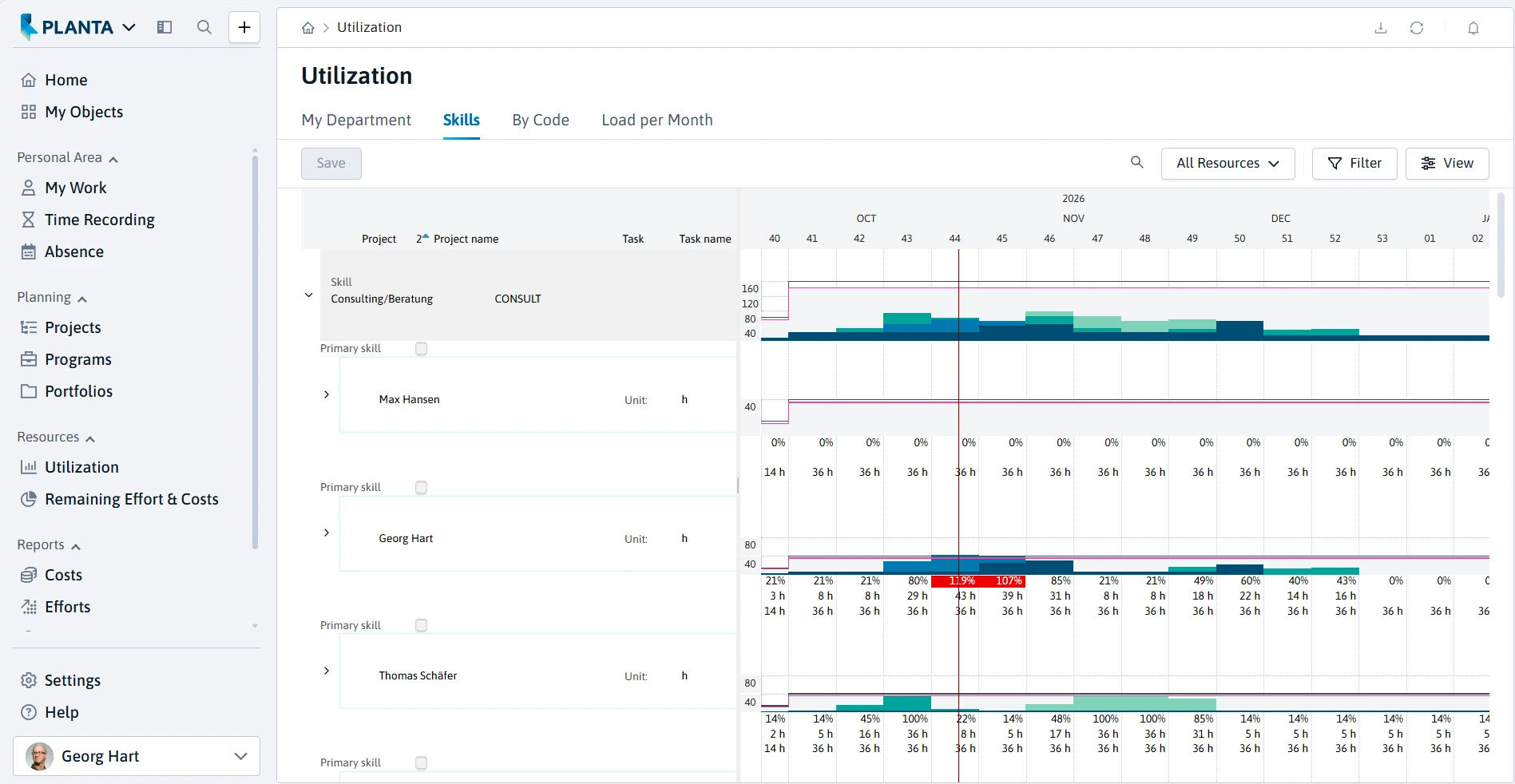
Plan Capacity by Skill and Availability
Stored skills and availabilities make it easier to select suitable resources and ensure needs-based deployment planning:
Central recording of qualifications, competencies, and certificates
Take skills and availabilities into account in a targeted manner
Search and filter function for suitable employees
Analyze utilization by skills
Multi-Project
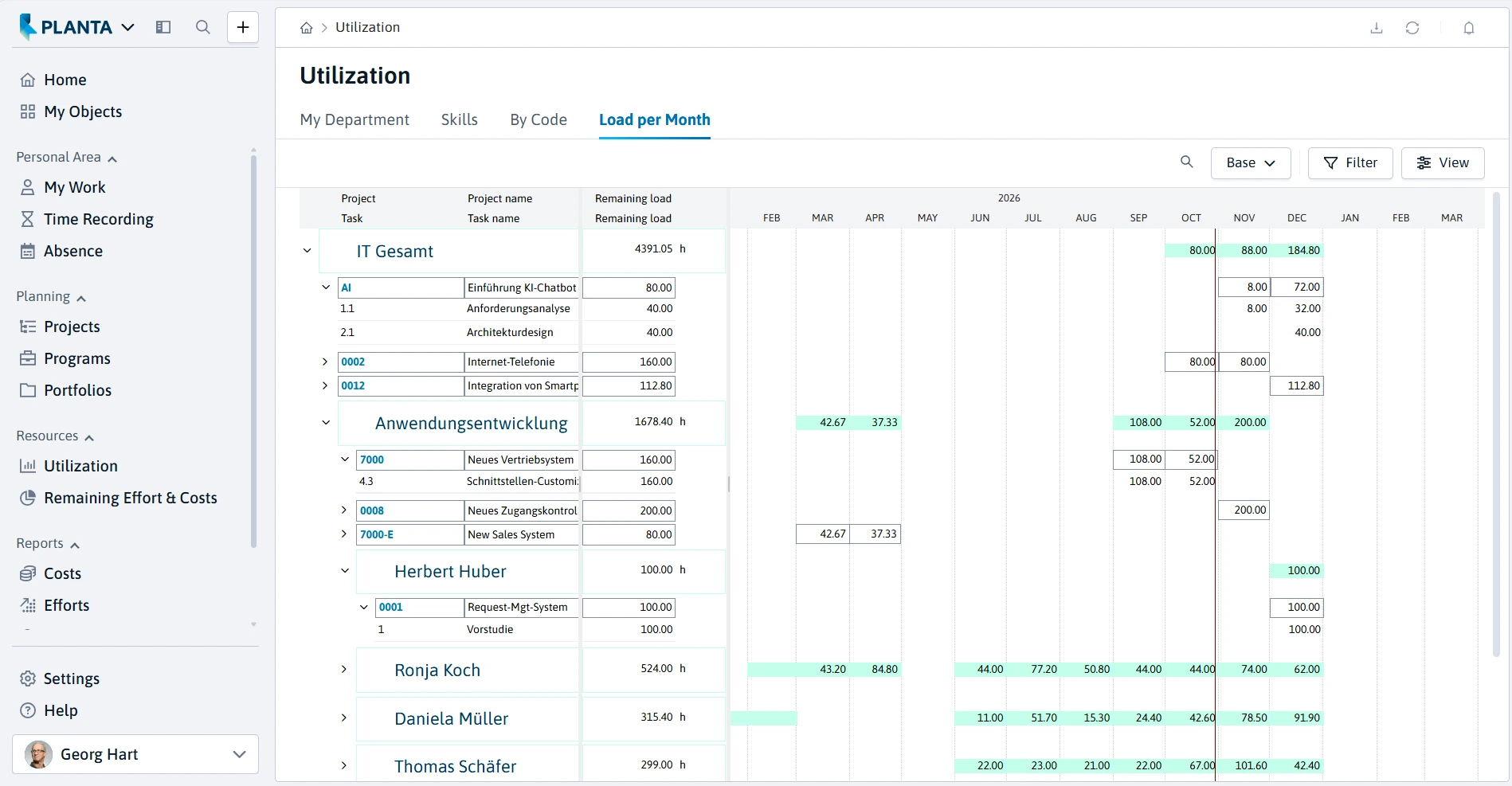
Control Multi-Project Capacity Centrally
When several projects compete for the same specialists, you need a central view. PLANTA project controls capacities across the entire project portfolio, not in individual Excel files:
One view across all projects and resources
Centrally manage projects competing for the same employees
Human and material resources in one system
Portfolio and project status at a glance
Controlling
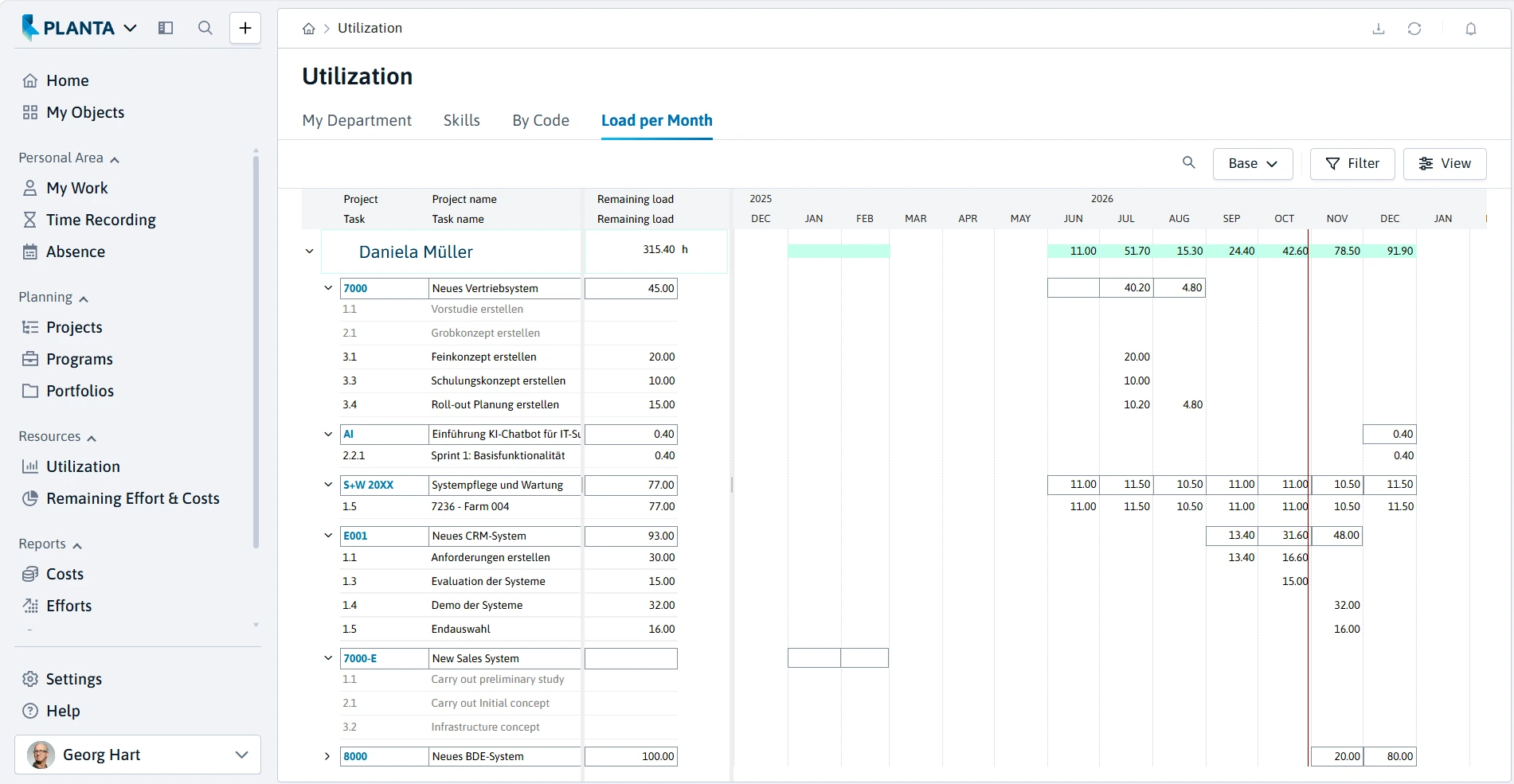
Keep Track of Planned vs. Actual
Planning is only half the battle. With resource controlling, PLANTA Project compares planned and actual values in real time and warns you with a traffic light as soon as something gets out of hand:
Automatic comparison of planned and actual effort
Traffic light function for status at a glance
Early warning functions for timely intervention
Customizable KPI reports and dashboards for stakeholders
What Good Capacity Planning Software Needs to Do
PLANTA project covers the requirements of professional teams and supports scenarios, forecasts, and multi-project control, among other things.
Visual utilization view, color-coded by overload and underload
Assignment by availability and skills
Capacity forecast and what-if scenarios
Multi-project and cross-portfolio view
Planned vs. actual comparison and effort recording
Real-time transparency across all teams
Availability and absence management
Reports and dashboards for stakeholders
Interfaces, for example to Jira
Link to budget and costs

Frequently Asked Questions About Capacity Planning Software
What Functions Does PLANTA Project Offer for Capacity Planning?
PLANTA Project offers all the key functions for efficient capacity planning: From resource planning and utilization analysis to cross-project capacity planning, reports, and evaluations. The software helps companies deploy resources as needed, identify bottlenecks early, and make well-founded decisions for their project planning.
How Do I Identify Resource Bottlenecks Early with PLANTA Project?
PLANTA Project clearly displays the utilization of resources and makes bottlenecks or overloads visible early on. This allows those responsible to react in time, redistribute resources, or adjust project plans before deadlines or budgets are put at risk.
Can I Plan Capacities Across Projects with PLANTA Project?
Yes. PLANTA Project enables central capacity planning across multiple projects. This way, you always keep track of the utilization of your resources and can deploy them optimally according to project priorities.
Can I Combine Capacity and Cost Planning in PLANTA Project?
Yes. In PLANTA Project, capacity and cost planning can be combined in a joint project plan. Human resources such as employees, departments, or required skills are planned based on their available working time in hours or days. At the same time, cost and revenue resources can be recorded in monetary values. Since both human and financial resources can be assigned to a task, you get a holistic view of resource requirements, budget, and profitability.
Does PLANTA Project Also Support Long-Term Capacity Planning?
Yes. With PLANTA Project, you can plan capacities not only for ongoing projects but also for future proposals. This allows you to schedule resources early, better forecast utilization, and make well-founded decisions for project and staff planning.