Kanban in Project Management: Definition, Principles, Advantages, and Limitations
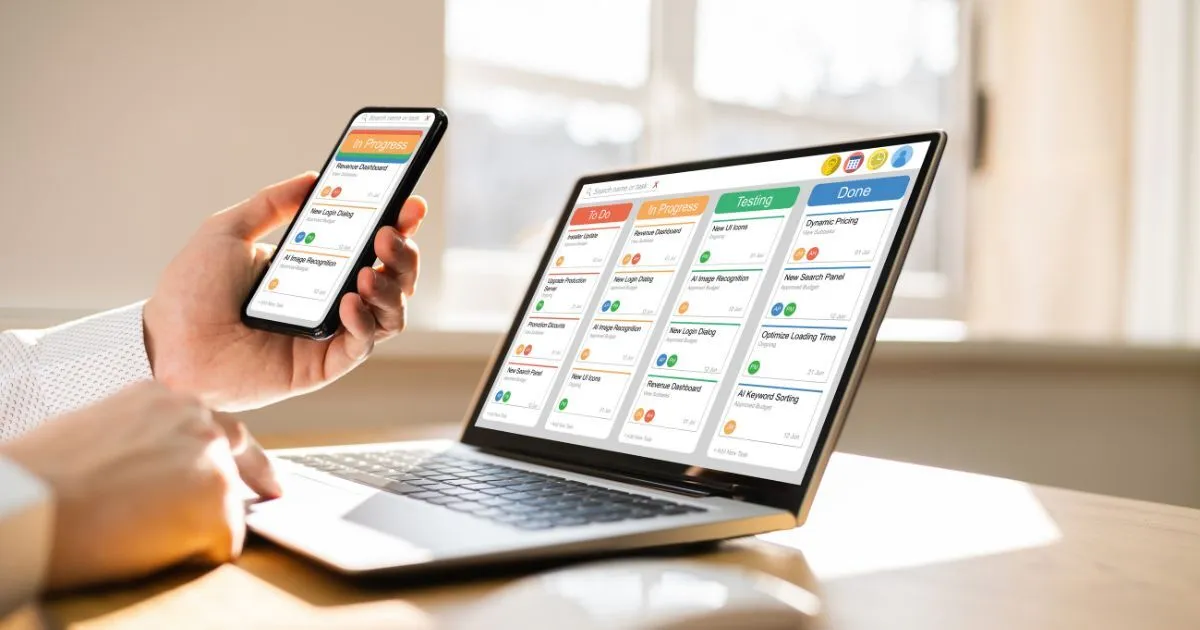
Kanban in project management is much more than just colorful sticky notes on a wall. It is a lean, evolutionary method that aims to optimize workflows (flow), identify bottlenecks, and sustainably improve the delivery capacity of teams. A visual pull system with strict limits on parallel work (WIP limits) is the center piece of the approach. As a result, Kanban creates exceptional transparency, shortens throughput times, and promotes a culture of continuous improvement (Kaizen) without having to abandon existing processes and roles overnight.
This article covers everything you need to know to successfully use Kanban for project management: from the basic elements such as boards and cards to the advantages of easy onboarding and advanced concepts. We also compare Kanban with Scrum and the waterfall model and show you how to implement the method in practice.
The origins of Kanban are deeply practical and evolutionary. It was not designed on the drawing board, but emerged in 1947 out of necessity at Toyota under the leadership of Taiichi Ōno. Given low demand and high model diversity in the post-war Japanese market, Western mass production was inefficient. Inspired by the goods logistics of American supermarkets, Ōno developed the pull principle for the Toyota production system: only what is actually required is produced (just-in-time). The adaptation of these ideas for knowledge work and IT was largely carried out by David J. Anderson in the 2000s. The aim is to start with an existing process, control it with explicit rules, and optimize the workflow.
Table of Contents
- What Is Kanban?
- What Are the Core Principles of Kanban?
- How Does Kanban Work in Practice? Kanban Board and Cards
- What Are the Advantages and Limitations of Kanban?
- What Are the Areas of Application for the Kanban Method?
- Kanban Compared to Other Project Management Methods
- How to Use Kanban in Project Management?
- Which Project Management Software Is Suitable for Kanban?
- Conclusion: Why Kanban Remains an Effective Tool for Project Managers
What Is Kanban?
Kanban is a visual control system that manages the flow of work units (cards) through defined process steps (columns). Instead of pushing work into the system, teams pull the next task only when they have free capacity. The method is based on four key practices: visualizing the workflow, limiting parallel work (WIP limits), managing the flow, and implementing feedback loops for continuous improvement.
Etymologically, the term “Kanban” (看板) comes from Japanese and literally means “signal card”. In the original Toyota system, a Kanban was a physical card that triggered a production signal (e.g., “Please deliver 200 screws of type X”). The modern Kanban method uses this concept as a visual framework to make the entire work process transparent and optimize it.
The central goals of Kanban are:
- Create transparency across the entire workflow.
- Make bottlenecks and blockages immediately visible and resolve them.
- Increase and stabilize the predictability of delivery times.
- Reduce team overload and focus on completing tasks.
- Establish a culture of continuous, evolutionary improvement.
At its core, Kanban is a lean and agile method that focuses on evolution rather than revolution. It offers a strong value proposition: less stress due to overload, more focused work, measurably shorter throughput times, and continuous, data-driven optimization of your own processes.
What Are the Core Principles of Kanban?
The Kanban method is based on a set of principles that David J. Anderson has divided into two main categories: change management principles, which make it easier to get started, and service delivery principles, which govern ongoing operations. These principles work hand in hand: WIP limits enable a stable flow, the resulting data (CFD, lead/cycle time) forms the basis for improvements, explicit policies create common standards, and feedback loops secure the learning cycles.
Here is an overview of these principles:
- Change principles: Start with what you have (low friction), strive for evolutionary change (small steps), promote leadership at all levels (decentralized optimization).
- Service delivery principles: Understand customer needs (service orientation), manage work (focus on flow), develop the service network (systemic thinking).
What Are the Principles of Change (According to Anderson)?
These three principles make the introduction of Kanban a particularly low-threshold and low-resistance venture:
- Start with what you are doing now: Kanban does not require radical restructuring. Existing processes, roles, and responsibilities are initially respected and taken as a starting point. This minimizes fears and losses due to friction.
- Agree to strive for evolutionary change: Instead of a “big bang” approach, Kanban focuses on small, incremental, and continuous improvements. Each change is a hypothesis that is tested and retained if successful.
- Promote leadership at all levels: Improvement initiatives are not just for management. Every team member is encouraged to share observations and contribute suggestions for process optimization.
Pro tip for getting started: Start by drawing a realistic picture of your current process. Map your existing workflow 1:1 on a Kanban board, even if it seems chaotic or inefficient. Optimization only begins when the visualization reveals the real bottlenecks. Resist the temptation to start immediately with idealized processes or overly strict WIP limits.
What Are the Service Delivery Principles (According to Anderson)?
These three principles focus on the operation and optimization of the system in terms of service provision:
- Understand and focus on customer needs and expectations: The team sees itself as a service provider that creates value for internal or external customers. The focus is on organizing work in such a way that these needs are met in the best possible way (e.g., through service level agreements).
- Manage the work, not the people: Kanban focuses on the workflow rather than the workload of individuals. Instead of asking, “Who has nothing to do?”, the central question is, “What is preventing this task from moving to the next state?” This is the fundamental difference between Kanban and traditional resource planning in project management: While the latter often focuses on the overall completion of a project, Kanban focuses on a continuous flow of work packages. A utilization rate of around 70–80% often leads to better results because buffers remain available for unforeseen events and the resolution of blockages.
- Frequently develop the service network to improve results: A team rarely works in isolation. Kanban encourages systemic thinking and regular review and optimization of collaboration and dependencies with other teams and departments.
How Does Kanban Work in Practice? Kanban Board and Cards
The heart of every Kanban system is the Kanban board. It visualizes the entire work process and renders the status of each individual task transparent to everyone involved. A board can exist physically on a wall or digitally in a software solution such as PLANTA Project, Jira, or Trello. What’s important is that the defined rules (policies), such as the “Definition of Done” for a column, are visible to everyone.

More complex processes can, of course, include more detailed columns such as “Analysis,” “Design,” “Development,” “Testing,” and “Deployment.” The key is that the board fits the team — not the other way around.
What Are Columns (States) and Cards (Work Items) in the Kanban Method?
Columns (States) represent the individual stages or phases that a task goes through from idea to completion. A simple board might have only “To Do,” “In Progress,” and “Done.” Complex processes can include more detailed columns such as “Analysis,” “Design,” “Development,” “Testing,” and “Deployment.”
Cards (Work Items) are the visual representations of individual work tasks. They contain all relevant information needed to understand and complete the task. Typical details on a Kanban card include:
- Title (a short, concise description)
- Detailed description and acceptance criteria
- Responsible person or team
- Due date (if applicable)
- Service class (e.g., Expedite, Standard)
- Blocker flag (if the work is blocked)
- Size or effort estimate (optional)
In addition to columns, boards can also include swimlanes (horizontal lanes) to separate different types of work (e.g., a “Fast Lane” for urgent tasks) or projects.
What Are WIP Limits (Work in Progress) and How Do They Work?
WIP limits are the most important rule in Kanban. They restrict the number of tasks that may be in a specific process phase (column) at the same time. Their purpose is to prevent overload, immediately reveal bottlenecks, increase focus, and create a stable, predictable workflow (flow).
The effects of multitasking and constant interruptions are scientifically proven. Researcher Gloria Mark from the University of California found that, after an interruption, it takes an average of 23 minutes to fully refocus on the original task. WIP limits tackle this issue at its root. The mathematical foundation is provided by Little’s Law: Lead Time = WIP / Throughput. To shorten lead time, the amount of parallel work (WIP) must be reduced while maintaining the same throughput. Studies show that consistently applied WIP limits can increase throughput by up to 40%.
“Best Practice Checklist” for Getting Started with WIP Limits:
- Use starting formulas: Begin with simple heuristics. Proven formulas are WIP limit = (number of team members ÷ 2) + 1 for starters, or current average WIP − 25% if you already have data. Adjust limits later based on observations.
- Define policies for exceeding limits: The golden rule is “Stop Starting, Start Finishing.” When a WIP limit is reached, no new work may be pulled into that column. Instead, the entire team helps complete existing tasks to restore flow (this concept is also known as “swarming”).
- Avoid per-person limits: Limits should apply to process phases (columns), not individuals. This promotes collaboration and prevents local optimization.
What Are Kaizen & Feedback Loops in the Kanban System?
Kanban is a learning system based on regular feedback loops to enable continuous improvement (Kaizen). Typical meetings (also called cadences) include:
- Daily Stand-up (Kanban Meeting): Focus is on the flow of work, not on individuals. The team goes through the board from right (close to “Done”) to left and asks: “What can we do to move these cards forward? What blockers exist?”
- Retrospective: The team reflects on collaboration, team dynamics, and overall well-being. The goal is to define concrete actions to improve teamwork.
- Operations Review: This meeting is data-focused. It analyzes system performance using metrics such as throughput, cycle time, and blocker frequency. The goal is to identify systemic issues and agree on policy adjustments. A typical agenda might include: 1. Review of Service Level Expectations (SLEs), 2. Analysis of throughput over recent weeks, 3. Analysis of the most frequent blocker causes, 4. Discussion and approval of policy updates.
- Root Cause Analysis: For recurring problems (e.g., frequent blockers), techniques such as the “5 Whys” are applied to uncover and sustainably eliminate the true cause.
How Does Prioritization Work in Kanban: Cost of Delay & Service Classes
Unlike other methods where prioritization often relies on intuition, Kanban offers an economic, data-driven approach. The key question is: “What does it cost us if we delay this task by a week or a month?” These Cost of Delay values are the primary driver for prioritization.
To make this manageable in practice, service classes are introduced. They define how different types of work are handled by the system and are linked to explicit policies and Service Level Agreements (SLAs). This provides a data-driven alternative to gut-feeling prioritization. An advanced concept is WSJF (Weighted Shortest Job First), which calculates priority using the formula Cost of Delay ÷ Job Duration — thereby favoring tasks that deliver the highest value in the shortest time. A sound cost planning in project management helps to realistically assess the Cost of Delay.
| Class | Typical Examples | Policy/SLAs (Typical Distribution) | Risks/Trade-offs |
|---|---|---|---|
| Expedite | Critical production error, system outage | Takes priority over all other work, immediate processing (<5% of total work) | Interrupts the regular flow and can overload the team if used too often. |
| Fixed Date | Trade fair appearance, legal deadline, committed delivery date | Must be completed by a fixed date, requires proactive planning (15–20%) | Can block other important work if not well managed. High risk in case of misjudgment. |
| Standard | New features, regular tasks | Processed according to the FIFO principle (First In, First Out) (approx. 60–70%) | With long queues, value decay (Cost of Delay) can be high. |
| Intangible | Reducing technical debt, refactoring, process improvement | Important but not urgent tasks. Must be actively scheduled, as they otherwise get pushed aside (>10%) | Often neglected, which can lead to system erosion and higher long-term costs. |
What Are the Metrics in Kanban? CFD, Lead/Cycle Time, Error Rate, Control Charts
Although Kanban can be highly data-driven, its greatest strength lies in its simple, visual nature. Many companies successfully use Kanban boards for task planning without delving deeply into complex metrics. At the beginning it is often sufficient to simply observe the flow on the board.
For teams that want to further optimize their processes, the following metrics are interesting:
- Lead Time vs. Cycle Time:
- Lead Time: The total time from the initial request to delivery.
- Cycle Time: The actual working time from start to completion. Example: A task has a cycle time of 2 days but a lead time of 14 days. This means it was waiting in the backlog for 12 days — this is often where the greatest potential lies.
- Throughput: The number of tasks completed per unit of time (e.g., per week).
Advanced tools such as Cumulative Flow Diagrams (CFD) or Control Charts can be used in mature Kanban systems to analyze system behavior. However, they are not necessary for beginners and should not discourage teams from starting with the simple, visual Kanban method.
What Are the Advantages of Kanban?
The consistent use of Kanban leads to a range of tangible benefits for teams and organizations:
- Increased efficiency and productivity: By reducing multitasking and focusing on completion, more work is done in less time.
- Maximum transparency: The Kanban board makes the entire work process and the status of each task visible to everyone, simplifying communication and coordination.
- Shorter and more predictable lead times: By controlling the flow and limiting WIP, tasks are completed faster and delivery times become more stable.
- Early bottleneck management: Bottlenecks and blockages become immediately visible and can be proactively resolved before they cause major delays.
- High flexibility and adaptability: Since there are no fixed iterations like sprints, priorities can be reassessed at any time and tasks can be scheduled flexibly.
- Higher quality and customer satisfaction: A steady flow and focus on “Done” lead to fewer errors and faster value delivery to the customer.
- Low resistance to adoption: Since Kanban starts with the existing process, the entry barrier is low and team acceptance is often higher than with more radical methods.
- Support for Continuous Delivery: The continuous flow of Kanban aligns perfectly with DevOps practices and enables continuous software delivery.
Advantages at a glance:
- Efficiency & Productivity
- Transparency & Communication
- Shorter Lead Times
- Bottleneck Management
- Flexibility & Adaptability
- Customer Satisfaction
- Low Resistance to Adoption
- Continuous Delivery
Many of these advantages can be seen in practice, for example in companies using PLANTA for agile project management.
What Are the Disadvantages and Limitations of Kanban?
Despite its numerous advantages, Kanban is not a magic bullet and also comes with challenges:
- Discipline required: Kanban only works if everyone adheres to the rules, especially WIP limits and defined policies.
- Lack of clarity with too many tasks: An overloaded board can quickly become confusing and lose its transparency.
- Lower awareness in non-IT fields: In some industries, the Kanban concept is less known, which can make implementation more difficult.
Clear limitations of Kanban:
Kanban is not the best choice for every scenario. Here are some examples where the method reaches its limits:
- Highly creative individual work: For tasks without recurring workflows (e.g., basic research), mapping them in a flow-based system is difficult.
- Projects with very long cycle times: When individual work packages take several months, flow-based metrics become less meaningful.
- Highly regulated environments: In settings with rigid, externally mandated quality gates, introducing Kanban can be a challenge. However, even highly regulated industries can successfully use Kanban for internal projects to optimize processes and increase transparency, as demonstrated in the Losan case study.
- Teams with high turnover: Building a stable, learning system dynamic is difficult when team members change frequently.
Avoid common mistakes – Simple tips for getting started:
- Create your own board instead of using templates: A board must reflect your real process. Start simply with the columns “Planned,” “In Progress,” and “Done,” and adjust them as needed.
- Use WIP limits: Without WIP limits, Kanban is just a “colorful to-do board.” Introduce limits and make “Stop Starting, Start Finishing” your team’s guiding principle.
- Establish a culture of improvement: What’s most important is an ongoing conversation. Hold regular, short meetings in front of the board to discuss flow and potential blockers.
What are the areas of application for the kanban method?
Kanban is no longer limited to software development. The method is suitable for almost any form of project work where a recurring process needs to be optimized:
- Software Development & DevOps: The traditional use case. Kanban supports agile teams in implementing Continuous Integration and Continuous Delivery.
- Traditionally oriented organizations: Kanban can serve as a control overlay in addition to an existing waterfall process to create transparency and optimize handovers between phases.
- Marketing & Sales: For managing campaign flows, content creation, or processing sales leads.
- HR & Recruiting: Visualization and optimization of the recruitment process from application to hiring.
- Accounting & Finance: Managing recurring processes such as monthly and annual financial closings.
- Personal Task Management (Personal Kanban): Kanban is an excellent method for organizing one’s own work and combating procrastination. It’s the perfect way to internalize the principles. Setup tips: Visualize all your tasks, limit your personal WIP to 3–5 parallel activities, and optimize your personal flow.
Kanban scales from individuals and small teams to large programs that involve hundreds of employees (Flight Levels).

Kanban Compared to Other Project Management Methods
Kanban is one of many project management methods. It differs fundamentally from time-based approaches (Scrum) or phase-based approaches (Waterfall). The choice of the right method strongly depends on the context of the project and the organization.
- Iterations: Kanban is continuous, while Scrum works in fixed sprints.
- Metrics: Kanban focuses on flow (cycle time, throughput), while Scrum focuses on speed (velocity).
- Roles: Kanban has no predefined roles, whereas Scrum has fixed roles (Scrum Master, Product Owner).
- Planning: Kanban is flexible, while in Scrum, planning takes place within the framework of sprint commitments.
Kanban vs. Scrum
Although both methods originate from the Lean/Agile spectrum, there are fundamental differences. Both use visual boards and pull mechanisms, encourage self-organization, and deliver value incrementally.
The key differences:
| Aspect | Kanban | Scrum | Implication for Projects |
|---|---|---|---|
| Rhythm/Cadence | Continuous flow | Fixed time iterations (sprints, 1–4 weeks) | Kanban is well suited for work with unpredictable input (e.g., support, maintenance), while Scrum is better for product-based development with plannable goals. |
| Roles | No predefined roles | Product Owner, Scrum Master, Development Team | Kanban is more flexible and can be integrated into existing structures. Scrum requires the establishment of specific roles. |
| Changes | Can be introduced at any time as long as WIP limits are adhered to | Changes within a sprint are undesirable (“sprint protection”) | Kanban offers higher flexibility when priorities change. |
| Metrics | Lead Time, Cycle Time, Throughput, CFD | Velocity, Burndown Charts | Kanban measures the system’s delivery capability, Scrum measures the work completed per iteration. |
| Commitment | Commitment to service level (e.g., “85% of all tasks of type X are completed within 5 days”) | Commitment to a sprint goal and sprint backlog | Kanban provides probabilistic forecasts, while Scrum provides a deterministic commitment for the sprint. |
Scrumban as an “Evolution for Experienced Teams”:
Scrumban is not just a mix but often an evolutionary advancement for mature agile teams. It combines the structure of Scrum (e.g., defined roles, regular planning and review meetings) with the flow-based flexibility of Kanban (WIP limits, focus on cycle time). This hybrid approach is particularly suitable for teams that handle both planned project work and unpredictable tasks (e.g., maintenance, support) and find Scrum’s rigid sprint structure too restrictive. It is a typical step in agile project management for teams looking to further optimize their processes.
Kanban vs. Waterfall
At first glance, Kanban and the Waterfall model may seem incompatible. However, this is precisely where one of Kanban’s greatest strengths comes into play: it can serve as a “non-invasive improvement” for traditional processes. Instead of replacing the Waterfall process, Kanban can be applied as a control layer on top of it to create transparency and manage the flow between phases.
Concrete implementation steps:
- Phases as columns: The sequential Waterfall phases (e.g., “Analysis,” “Design,” “Development,” “Testing,” “Deployment”) are represented as columns on a Kanban board.
- Work packages as cards: The defined work packages or features become cards that move through these phases.
- Introduce WIP limits: A WIP limit is set for each phase. For example, a WIP limit in the “Testing” phase immediately shows when development is producing more features than the testing team can handle. This creates a healthy bottleneck that forces developers to support testers or refine their “Definition of Done” to deliver higher quality.
This approach exposes bottlenecks between departments and inefficient handovers. It is an excellent first step for traditional organizations to learn the principles of flow management without having to change their entire organizational structure right away.
How to Use Kanban in Project Management
The introduction of Kanban is an evolutionary process. The following checklist will help you take the first steps:
- Start with the current state: Visualize your current workflow exactly as it is. Together with your team, define the columns for your first Kanban board.
- Define work types/service classes: Identify the different types of work your team handles (e.g., standard features, urgent bug fixes, technical improvements) and define initial service classes (Expedite, Fixed Date, Standard, Intangible).
- Define card fields/policies: Specify what information must be on a card. Define clear handover criteria for each column (e.g., “Definition of Done” for the development column).
- Set initial WIP limits: Start with a generous WIP limit (e.g., equal to the number of team members) and gradually reduce it once the flow begins to stagnate. The formula team size − 1 is often a good starting point for the entire system.
- Plan feedback cycles: Establish regular meetings for the daily stand-up, a weekly retrospective, and a monthly operations review.
- Integrate blocker management as a critical success factor: Define a clear process for handling blockers. This must include: 1) Immediate visual marking on the board (e.g., with a priority label or tag), 2) quick root cause analysis (e.g., using the “5 Whys”), 3) regular evaluation of blocker patterns in the operations review, and 4) the strict policy that removing a blocker almost always takes priority over starting new work (“Stop Starting, Start Finishing”).
- Establish metrics: Start measuring cycle time and throughput from day one. Use a CFD to visualize the flow.
Continuous improvement (Kaizen): Based on your metrics and observations, formulate hypotheses for improvements (e.g., “If we lower the WIP limit in the review column from 3 to 2, our average cycle time will decrease.”) and validate them.

Which Project Management Software Is Suitable for Kanban?
While physical boards encourage a high level of interaction and engagement, digital tools offer crucial advantages in data collection and collaboration among distributed teams. When deciding for a tool, you should consider criteria such as team size, specific requirements (e.g., compliance in the pharmaceutical industry), and the organizational context. For small teams, a simple collaboration tool may suffice, but in an enterprise environment, robust features for multi-project and portfolio management are essential.
Typical features of professional Kanban software include:
- Configurable Kanban boards with WIP limits and swimlanes
- Definition of service classes and policies
- Automatic generation of metrics such as CFD, control charts, and lead/cycle time analyses
- Support for Service Level Agreements (SLAs)
- Integrations with other systems (e.g., issue trackers, Git repositories)
- Comprehensive role and permission management
- Automations and templates for recurring processes
As a German expert in project management systems since 1980, we know what truly matters. The professional PLANTA Project software for project management integrates traditional, agile, and hybrid methods into one system, providing the flexibility required for complex project environments. It is the best option for companies in the German-speaking region looking for a central, transparent, and flexible way to manage their projects — with a strong focus on quality “Made in Germany.” You can find all our pricing models transparently listed on our pricing page.
Conclusion: Why Kanban Remains an Effective Tool for Project Managers
Kanban is more than just a method – it is an approach to the evolutionary improvement of work processes. It offers a unique combination of transparency, flow-based control, and data-driven optimization with a remarkably low entry barrier. Its core value lies in shifting the focus from employee utilization to the flow of work, thereby revealing bottlenecks and waste within the system.
While the benefits of achieving a more stable flow, higher predictability, and greater focus are significant, Kanban also requires discipline in adhering to WIP limits, diligence in maintaining policies, and a willingness to embrace a genuine cultural shift toward continuous improvement. For project managers seeking to sustainably increase delivery capability and protect their teams from overload, Kanban is a powerful and timeless tool.
Would you like to strengthen flow and predictability in your projects? Discover how Kanban with PLANTA Project can accelerate your delivery – request a non-binding consultation appointment now.